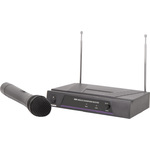
VH1
Handheld Microphone VHF Wireless System
171.804UK
Introduction
Thank you for choosing the QTX Sound VHF-series wireless system. This professional wireless set provides a high quality microphone with VHF radio system for freedom of movement without loss of audio quality. Please read this manual before using this equipment in order to avoid damage through incorrect operation and to get the best performance from your purchase.
Contents
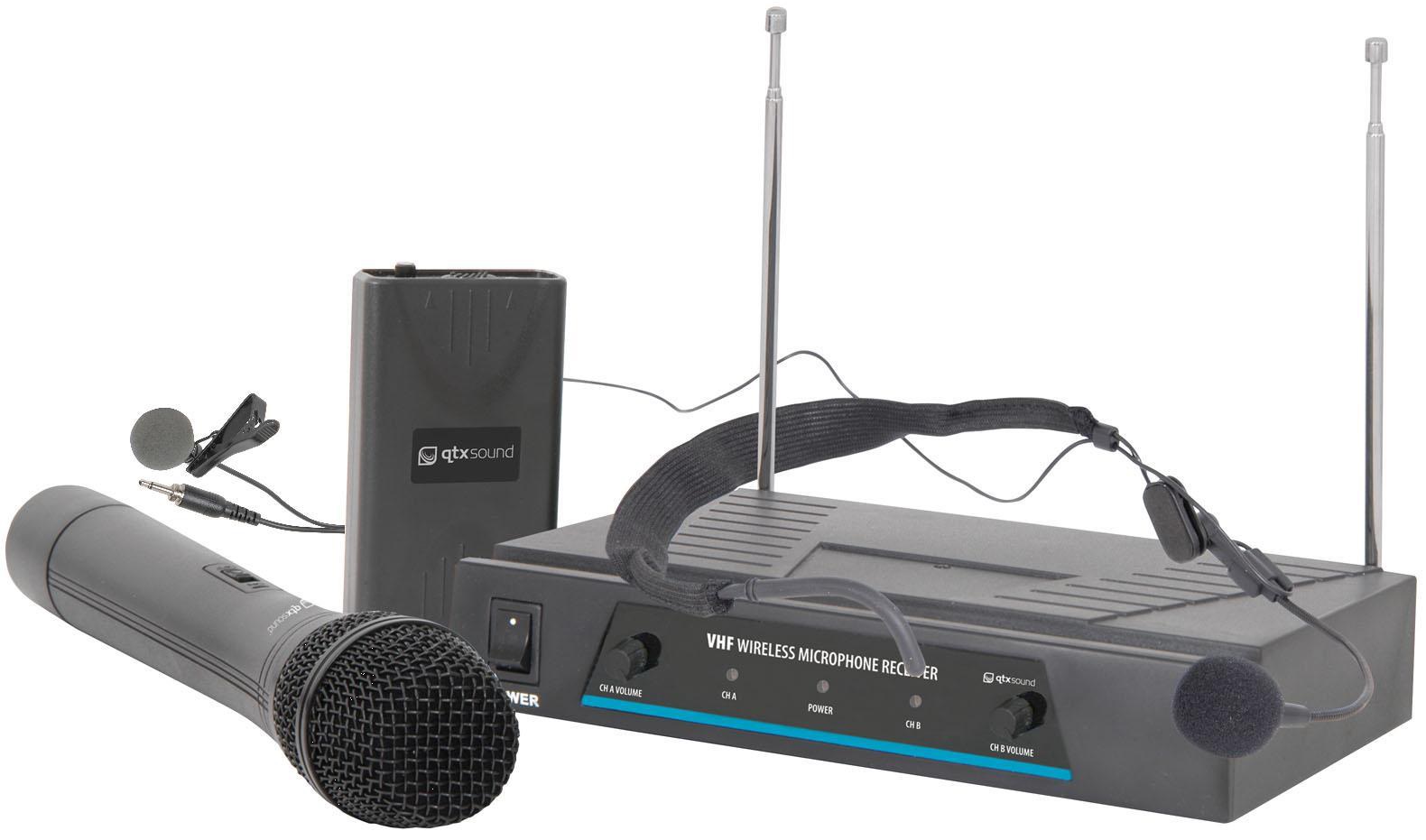
Please take care when unpacking this product. Inspect for any damage and ensure you have the following components…
- VHF wireless receiver
- Mains power adapter
- 6.3mm mono jack lead
- 9V battery, PP3 (2 pieces for VH2, VN2 or VHN2)
- Microphone / transmitter(s) – see table below
| Model | Stock code | Microphone 1 | Microphone 2 |
| VH1 | 171.804UK | Handheld transmitter | - |
| VH2 | 171.816UK / 171.817UK | Handheld transmitter | Handheld transmitter |
| VN1 | 171.836UK / 171.837UK | Neckband mic. + beltpack | - |
| VN2 | 171.818UK / 171.819UK | Neckband mic. + beltpack | Neckband mic. + beltpack |
| VHN2 | 171.810UK / 171.811UK | Handheld transmitter | Neckband mic. + beltpack |
| VL1 | 171.834UK / 171.835UK | Lavalier mic. + beltpack | - |
Warning
To prevent the risk of fire or electric shock, do not expose any of the components to rain or moisture.
If liquids are spilled on any component, stop using immediately, allow unit to dry out and have checked by qualified personnel before further use.
Avoid impact or heavy vibration to any of the components, dropping the microphone can cause capsule failure.
No user serviceable parts inside transmitter or receiver - refer servicing to qualified service personnel.
Safety
Ensure that the correct adapter is used with adequate current rating and that the mains voltage is as stated on the adapter.
Avoid ingress of water or particles into the transmitter(s) or receiver
Use alkaline or NiMH batteries in the transmitter(s) and remove if unused for long periods.
Observe the correct polarity when replacing batteries
Placement
Keep all components out of direct sunlight and away from heat sources.
Do not place heavy objects on top of the receiver or transmitter(s)
If rack-mounting, secure the receiver to a 1U rack tray and do not place heavy equipment above the receiver.
Keep the transmitter(s) and receiver away from damp or dusty environments.
Cleaning
Use a soft cloth with a neutral detergent to clean the body of the microphone/transmitter and receiver.
Lightly damp sterile wipes may be used on the microphone grille for hygiene purposes
To avoid damage, do not use solvents to clean the components
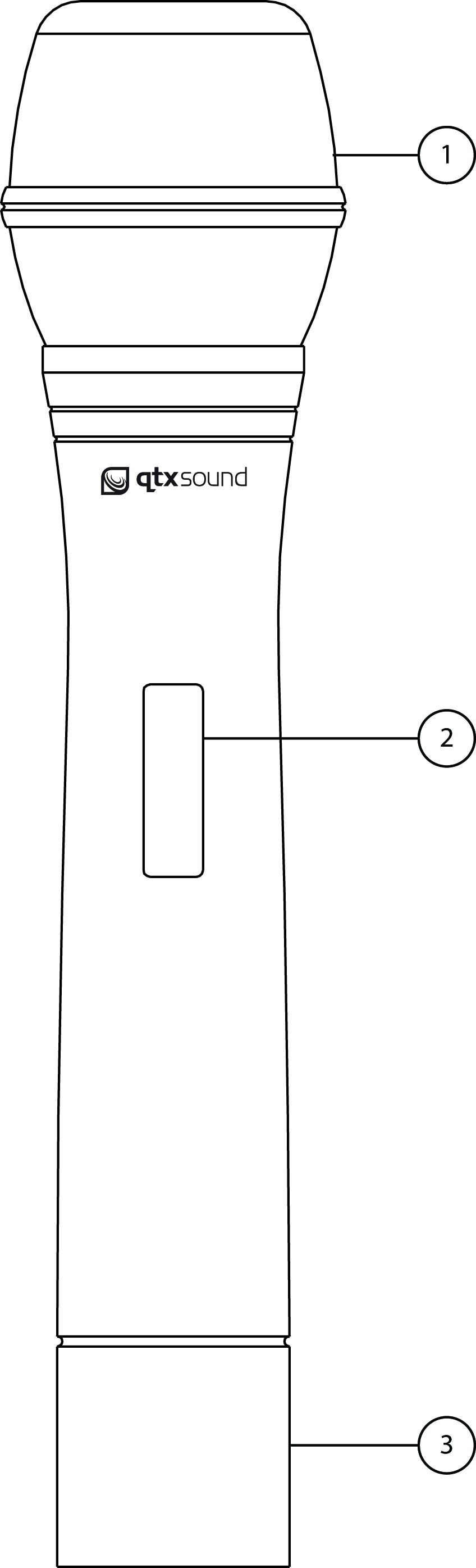
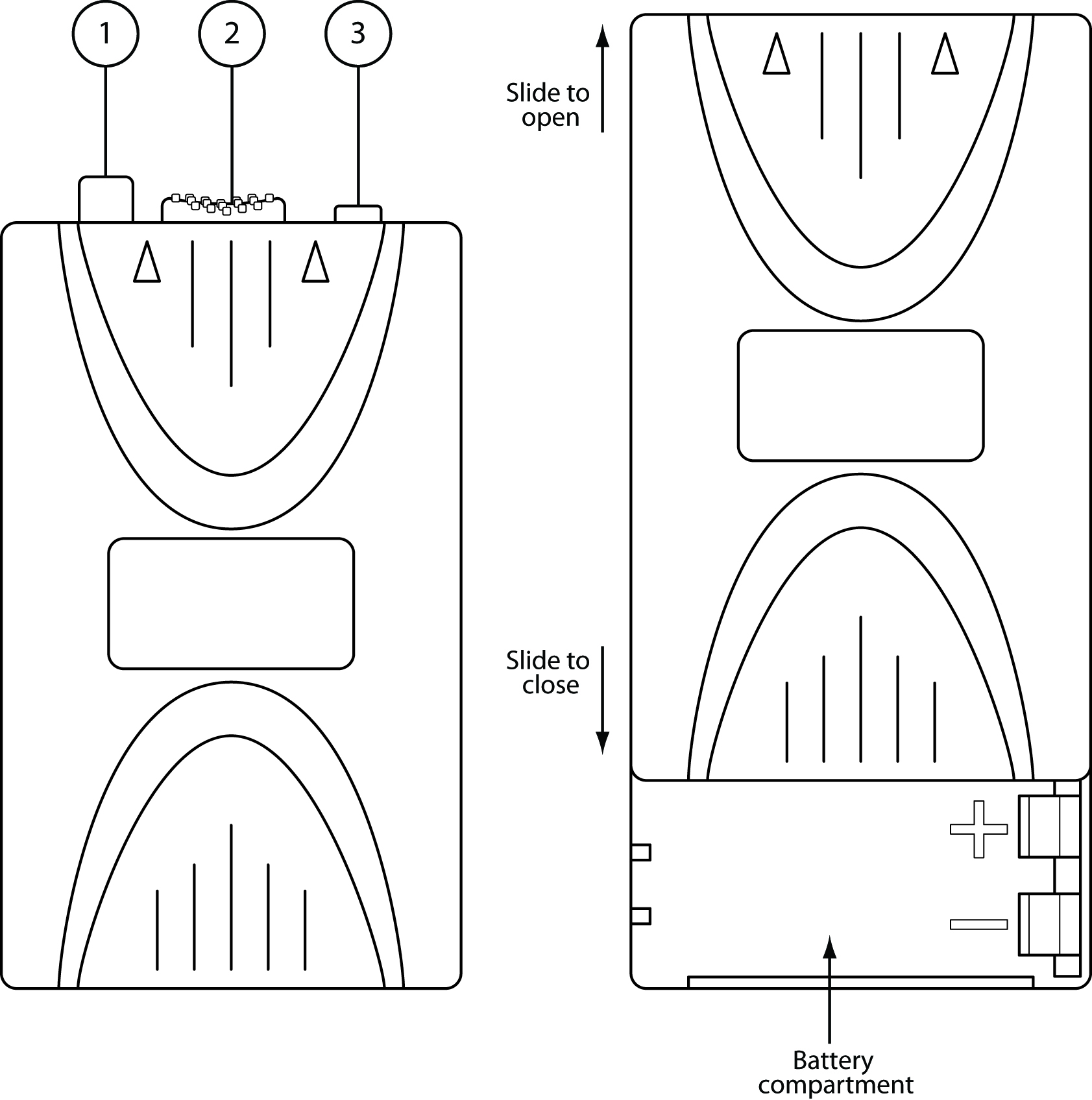
Handheld Transmitter Beltpack Transmitter
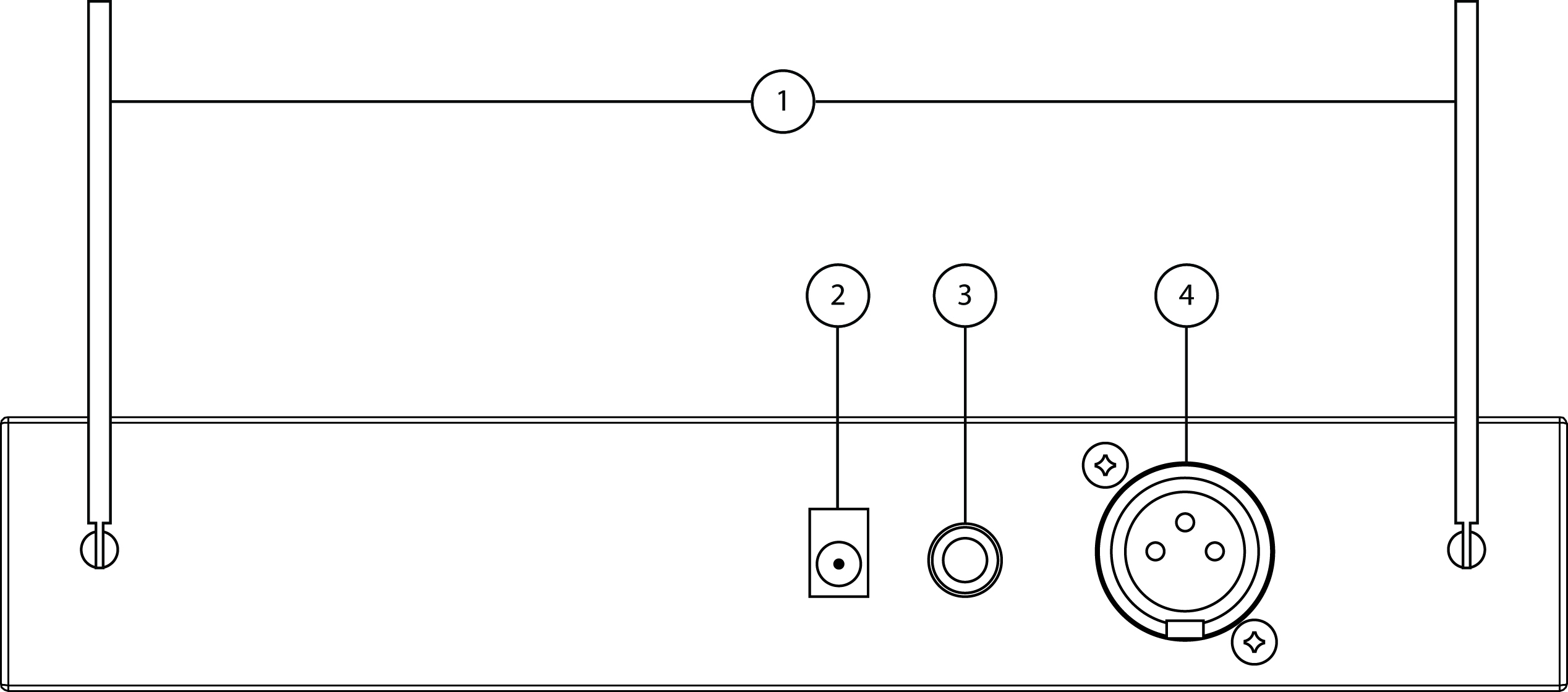
Receiver Rear Panel
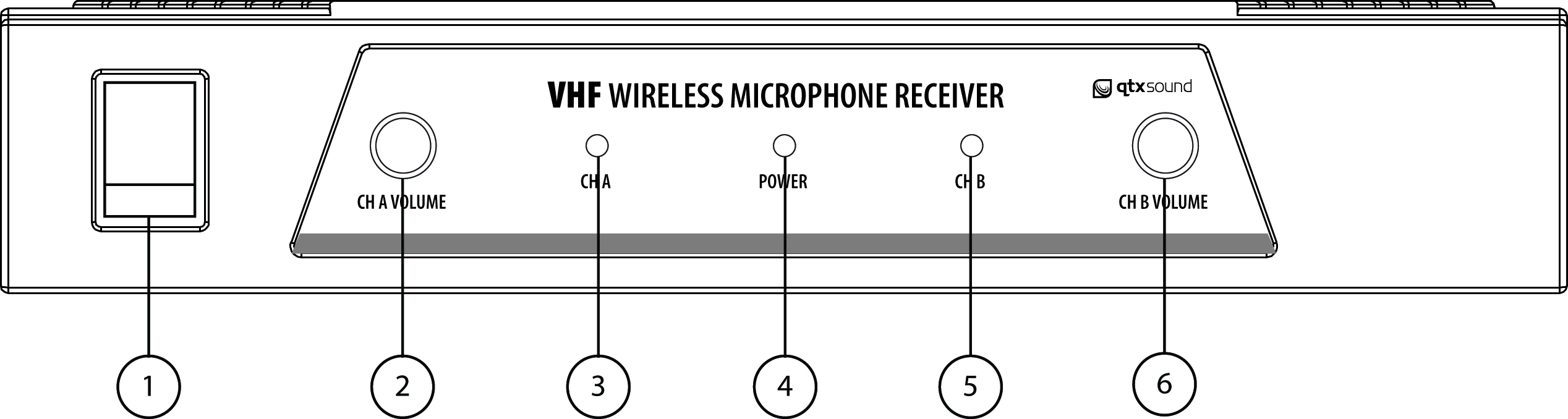
Receiver Front Panel
Operation
For handheld transmitters, insert the supplied 9V batteries by carefully unscrewing the base to reveal the + and - terminals inside the microphone body, connect the battery (ensure + and - are the correct way around) and carefully screw the base back on.
For beltpacks, slide the front half of the beltpack upwards just enough to reveal the battery compartment and position the supplied 9V battery inside (ensure + and - are the correct way around) and then slide the beltpack case together as before.
Position the receiver within the best available line of sight to the transmitter(s) and connect the DC jack of the supplied power adapter to the receiver and the plug-top to the mains outlet. Extend both antennas fully upwards and outwards slightly and switch the power on. Turn microphone level(s) down on the receiver.
Note: for dual sets (with 2 transmitters), both microphones’ outputs will be mixed and fed to both XLR and jack outputs.
Connect the jack or XLR (optional) lead to the receiver’s audio output connector, turn down the volume of any equipment (mixer, amplifier etc.) that the signal will be fed into and then connect the jack or XLR to the equipment.
Warning! - take care not to point microphones towards speakers – this can cause damaging feedback (loud whistle or howling noise) – try to point microphones away from the speaker cabinets.
Move the switch on the handheld or beltpack transmitter to the first notch (MUTE) – the LED should light momentarily (continuous dim LED indicates low battery). Move on another notch (ON) and gradually increase the microphone level(s) on the receiver, then increase the volume on the mixer or amplifier until the sound from the microphone can be heard through the equipment.
During use, it may be useful for the reception of the microphone to be muted for a short period of time (e.g. to avoid feedback when walking across the front of a speaker or avoid handling noise when placing the microphone down momentarily or adjusting a neckband microphone). In these circumstances, it may be better to move the transmitter switch to the “MUTE” position, which maintains the radio frequency carrier signal but mutes the microphone input. When this switch is moved back to the “ON” position, the sound will be immediately restored without waiting for the radio signal to be reinstated.
If the wireless system is not to be used for more than a few seconds, it is preferable to slide the transmitter switch to the “OFF” position, which mutes and deactivates the radio signal and powers down the transmitter. Be sure to turn down the volume of the mixer or amplifier and then switch off the receiver. Unplug signal leads from the receiver and mixer or amplifier when moving or packing away.
If the system is not to be used for long periods of time, remove the batteries from the transmitter and unplug the power adapter from the receiver and the mains outlet. Retracting the antennas can also help avoid damage when the system is not in use.
Frequency Chart
| Model | Stock code | Mic 1 | Mic 2 |
| VH1 | 171.804UK | 173.8MHz | - |
| VH2 | 171.816UK | 173.8MHz | 174.8MHz |
| 171.817UK | 174.1MHz | 175.0MHz | |
| VN1 | 171.836UK | 173.8MHz | - |
| 171.837UK | 174.5MHz | - | |
| VN2 | 171.818UK | 173.8MHz | 174.8MHz |
| 171.819UK | 174.1MHz | 175.0MHz | |
| VHN2 | 171.810UK | 173.8MHz | 174.8MHz |
| 171.811UK | 174.1MHz | 175.0MHz | |
| VL1 | 171.834UK | 173.8MHz | - |
| 171.835UK | 174.5MHz | - |
Troubleshooting
| Issue | Solution |
|---|---|
| “POWER” LED does not light on receiver | Ensure power adapter is connected to mains and working properly |
| Ensure receiver is switched on | |
| “POWER” LED is lit but no “SIGNAL” LED | Ensure transmitter is switched on |
| Check that transmitter is not out of reception range | |
| Check that transmitter battery is good / charged | |
| LEDs are lit but no sound from microphone | Check if transmitter switch is in “MUTE” position |
| Check if neckband or lavalier microphone is connected to beltpack | |
| Make sure receiver is connected to mixer / amplifier | |
| Make sure that amplifier / mixer channel volume is turned up | |
| Ensure transmitter has a good / charged battery | |
| Check if there is another nearby transmitter with the same frequency | |
| Microphone output is very loud or distorted | Turn down GAIN ADJUST on beltpack transmitter |
| Turn down VOLUME on receiver | |
| Reduce Gain on mixer / amplifier | |
| Ensure that XLR output is not fed to a Line input | |
| Microphone output is very low | Turn up GAIN ADJUST on beltpack transmitter |
| Turn up VOLUME on receiver | |
| Increase Gain on mixer / amplifier | |
| Ensure that Jack output is not fed to a Mic input | |
| Check transmitter battery |
Specification
| Specification | Value |
|---|---|
| Operating frequency | 173.8MHz |
| Power supply : receiver | 10Vac 250mA (supplied) |
| Battery : handheld transmitter | 9V, PP3 (supplied) |
| Maximum range | 50.0m |
| Output connections | XLR, 6.3mm jack |
| S/N ratio | >85dB |
| THD | <0.2% |
| Dimensions : transmitter | 270 x 45mmØ |
| Dimensions : receiver | 45 x 210 x 180mm |
| Weight : handheld transmitter | 190g (no battery) |
| Weight : receiver | 573g |
Precautions
 |
CAUTION |  |
| RISK OF ELECTRIC SHOCK DO NOT OPEN | ||
| CAUTION : TO REDUCE THE RISK OF ELECTRIC SHOCK, DO NOT REMOVE COVER (OR BACK) NO USER-SERVICEABLE PARTS INSIDE REFER SERVICING TO QUALIFIED SERVICE PERSONNEL | ||
This symbol indicates that dangerous voltage constituting a risk of electric shock is present within this unit
This symbol indicates that there are important operating and maintenance instructions in the literature accompanying this unit
Safety Notice
- Prior to use, read through this safety guide.
- Pay attention to safety warnings.
- Observe all operating requirements.
- For any items designed for indoor use only, do not operate near water or in humid environments.
- For cleaning, only use a lint-free, dry cloth.
- Install according to the specifications.
- Place away from heat sources or heating appliances.
- During placement, ensure adequate support for the product and access to controls and connectors.
- Do not obstruct any cooling vents or openings and allow adequate space for air flow.
- Use only power connections supplied with the product or suitable equivalents.
- Do not modify the equipment in any way.
- For any mains powered appliances, ensure that the mains voltage is as described in the specifications.
- Keep powered products and batteries away from the reach of children.
- In case of malfunction, water ingress or other damage, consult qualified service personnel.
- Avoid pressure or impact to the housing that may result in damage when transporting or installing this product.
- For any Earthed mains product, ensure that the power supply has a protective Earth connection.
- Keep all packaging materials out of reach of children.

Disposal : The "Crossed Wheelie Bin" symbol on the product means that the product is classed as Electrical or Electronic equipment and should not be disposed with other household or commercial waste at the end of its useful life. The goods must be disposed of according to your local council guidelines.

AVSL (EUROPE) Ltd, Unit 3D North Point House, North Point Business Park, New Mallow Road, Cork, Ireland